What Tools Support Integration Across Test Management, CI/CD, and Monitoring Systems?
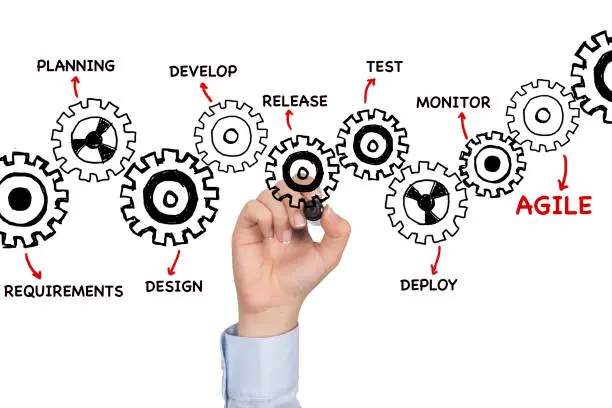
Most organizations already own tools for test management, CI/CD, and monitoring. On paper, that sounds mature. In reality, those tools often barely talk to each other.
Testing finishes, pipelines move on and monitoring lights up later. When something breaks, teams scramble to reconstruct what happened, which build was involved, and whether the scenario was ever tested in the first place.
Integration is supposed to fix this. But not all integrations are useful. Some just move data around. The ones that matter help teams make decisions faster.
Let’s talk about what actually works.
First, it helps to admit a hard truth. No single tool magically unifies everything. What matters is how well tools exchange context, not just results.
Test Management Tools That Do More Than Store Test Cases
Traditional test management tools were built for planning and documentation. Many of them still behave that way.
The more useful ones today act as a coordination layer. They track what was tested, which build it applied to, where it ran, and what failed. When connected properly to CI/CD, they update automatically based on real executions, not manual status changes.
This matters because stale test reports are worse than no reports. Teams stop trusting them quietly.
Test management tools that integrate with pipelines allow test results to flow back into coverage views without human effort. When a production issue shows up, teams can trace it to a specific execution and environment instead of guessing.
That traceability is where test management earns its keep.
CI/CD Tools as the Central Nervous System
CI/CD tools already sit at the center of delivery. Jenkins, GitHub Actions, GitLab CI, Azure DevOps. They decide when code moves forward.
But CI/CD tools are not good at holding meaning. They execute jobs. They collect logs. They do not understand intent.
That is why integration matters. When CI/CD triggers automated tests, the results should not live only inside pipeline logs. They need to feed back into test management and forward into monitoring context.
Strong setups treat CI/CD as the traffic controller. It triggers execution, enforces gates, and passes signals along. It does not try to own everything.
Monitoring Tools as a Missing Input to Testing
Monitoring is often treated as something that happens after release. That separation creates blind spots.
Monitoring tools surface real usage, real failures, and real performance behavior. Those signals are gold for testing, but only if they feed back into the system.
When monitoring integrates with test management or defect systems, teams can link incidents to missing or weak test coverage. Over time, this changes how tests are prioritized.
Testing stops guessing what matters. It learns from production.
Closing the Loop After Deployment
This is where integration either pays off or proves cosmetic.
A release passes CI. Tests look green. Monitoring alerts start firing. Now what?
Without integration, teams manually piece together answers. With integration, they can see which tests ran, against which build, and whether similar failures were seen before.
This is also where intelligent automation begins to help. Capabilities like ACCELQ Autopilot support learning from execution and operational signals, allowing teams to adjust test focus instead of repeating the same misses release after release.
The goal is not prediction perfection. It is fewer blind spots.
Where Integrations Commonly Break Down?
Most integrations fail quietly.
Pipelines run tests but never update test management. Monitoring alerts lack build context. Teams rely on naming conventions and Slack messages to bridge gaps.
If people are manually copying information between tools, the integration is already broken.
True integration removes steps. It does not add dashboards.
What Actually Makes an Integration Useful?
Tools that genuinely support integration across test management, CI/CD, and monitoring tend to share a few characteristics.
· They synchronize results automatically.
· They preserve context like build, environment, and change scope.
· They allow signals to flow both forward and backward.
· They reduce manual coordination instead of formalizing it.
Anything that requires constant upkeep will eventually be ignored.
Final Thought
Integration is not about building a perfect toolchain. It is about reducing the time between a signal appearing and a decision being made.
When test management, CI/CD, and monitoring systems work together, teams stop reacting late and start understanding early. That shift changes how quality is built, not just how it is reported.
And that is the difference between connected tools and an integrated system.