Understanding AI 3D Model Generators
What is an AI 3D Model Generator?
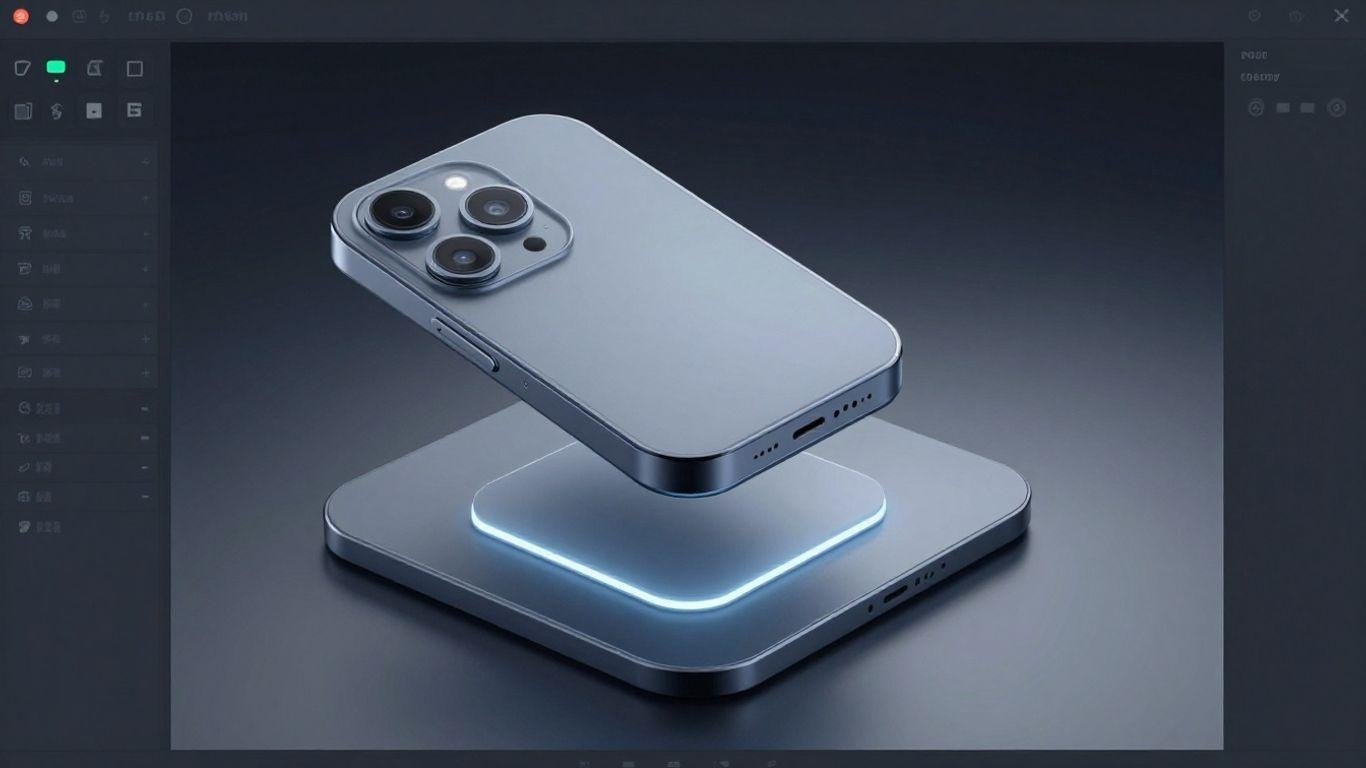
An AI 3D model generator is a tool that uses artificial intelligence to help create three-dimensional models. Think of it as a digital assistant that can take your ideas, whether written in text, shown in an image, or sketched out, and turn them into a 3D object. This technology is changing how we think about 3D creation, making it more accessible than ever before. It’s a big step forward from traditional methods that often require specialized skills and a lot of time.
These generators work by analyzing input data and using complex algorithms to build the 3D geometry. The goal is to speed up the process, allowing users to generate models quickly without needing to be experts in 3D modeling software. This means more people can experiment with 3D design and bring their concepts to life.
The core idea is to democratize 3D content creation. Whether you’re a hobbyist, a student, or a professional, an AI 3D model generator can help you produce assets faster and more efficiently. It’s a powerful way to get started in the world of 3D.
How AI Accelerates the Design Workflow
AI 3D model generators significantly speed up the design process. Instead of spending hours or days modeling from scratch, designers can generate initial concepts in minutes. This rapid iteration allows for more exploration of different ideas and quicker feedback loops. The ability to quickly produce multiple variations of a design is a game-changer for product development.
This acceleration isn’t just about speed; it’s also about efficiency. AI tools can handle repetitive or complex tasks, freeing up designers to focus on more creative and strategic aspects of their work. For instance, generating detailed textures or complex geometric patterns can be automated, saving valuable time. The impact on workflow efficiency is substantial.
The integration of AI into 3D modeling workflows means that the time from concept to a tangible digital asset is drastically reduced. This allows businesses to bring products to market faster and respond more agilely to design challenges.
Industry Adoption of AI 3D Modeling
Various industries are quickly adopting AI 3D model generators. In gaming and entertainment, these tools are used for creating game assets, virtual environments, and character models. Architecture firms are using them for rapid visualization of building designs and urban planning.
Marketing and e-commerce also benefit greatly. Companies can generate realistic 3D product models for online stores, allowing customers to view products from all angles. This improves the online shopping experience and can reduce returns. The versatility of AI 3D modeling makes it a valuable asset across many sectors.
Here’s a look at some common applications:
- Gaming: Rapid creation of characters, props, and environments.
- Product Design: Quick prototyping and visualization of new products.
- Architecture: Generating 3D models of buildings and spaces.
- Marketing: Creating 3D assets for advertisements and virtual tours.
- Healthcare: Visualizing anatomical models for training and surgery planning.
Key Features to Evaluate
When looking for the best AI 3D model generator, several features really matter. It’s not just about getting a 3D model; it’s about how well the tool fits your workflow and the quality of the output. Think about what you need most: speed, control, or something else entirely.
Speed and Efficiency Metrics
How fast can the AI 3D model generator churn out results? This is a big one, especially for product design, where time is often tight. Look for tools that offer quick turnaround times without sacrificing too much quality. Some generators boast impressive efficiency metrics, like a high Time Efficiency Ratio (TER), meaning they save a significant amount of time compared to older methods. Others might have a Coverage Expansion Factor (CEF), allowing them to cover more ground with the same resources. These numbers can give you a good idea of how much faster your projects might get done.
Don’t just look at the headline speed; consider the entire process from input to usable output.
Here’s a quick look at how some tools measure up:
| Metric Category | Metric Name | Description | Benchmark / Result Range |
| Efficiency Metrics | Time Efficiency Ratio (TER) | Time saved compared to traditional methods | 35-65% time reduction |
| Coverage Expansion Factor (CEF) | More coverage with the same resources | 2.5-4× improvement | |
| Effectiveness Metrics | Risk Coverage Ratio (RCR) | More risk covered in less time | 75-85% risk coverage |
Customization and Control Options
While speed is great, you also need control. A good AI 3D model generator should let you tweak settings to get the exact look and feel you want. If you’re asking, “What is the best AI 3D model generator?” prioritize tools that let you control polygon count/topology cleanliness and PBR texture accuracy, since those are core quality checks emphasized in the 3DAI Studio 2026 image-to-3D comparisons. Can you adjust parameters like polygon count, texture detail, or lighting response? Some tools offer advanced customization, letting you fine-tune every aspect, while others are more basic. For product design, having the ability to really dial in the details is often more important than just getting a model quickly. You want to make sure the tool works for you, not the other way around.
Model Quality and Texture Resolution
This is where the rubber meets the road. What’s the actual quality of the 3D models produced? Pay attention to the polygon count and, importantly, the texture resolution. High texture resolution means your models will look sharper and more detailed, which is vital for product visualization. Some generators excel at creating ultra-realistic 3D models, while others might produce simpler assets. Check out examples of their work, especially in areas similar to your project needs. A high-quality output from an AI 3D model generator can make a big difference in presentations and final products.
Export Capabilities and Compatibility
Finally, think about where your 3D models need to go. Does the AI 3D model generator support common file formats like OBJ, FBX, or GLTF? Can you easily import the models into your existing design software, like Blender, Unity, or other 3D modeling tools? Compatibility is key to a smooth workflow. If you can’t easily get the model out of the generator and into your pipeline, its other features don’t matter as much. Look for tools that offer broad compatibility with popular software and platforms.
Assessing Generator Suitability for Your Project
Matching Tools to Project Needs
Picking the right AI 3D model generator really comes down to what you’re trying to build. Think about your end goal. Are you aiming for quick prototypes for a new gadget, or do you need highly detailed character models for a game? Different tools excel in different areas. Some generators are built for speed, letting you churn out basic shapes rapidly, which is great for early-stage brainstorming. Others offer more granular control, allowing for intricate designs that require a finer touch. It’s about finding that sweet spot where the tool’s strengths align with your project’s specific demands.
Consider the complexity of the models you need. If you’re just starting out or working on simple assets, a tool with a more streamlined approach might be best. However, if your project requires complex geometry, detailed textures, or specific rigging capabilities, you’ll want to look for an AI 3D model generator that supports these advanced features. Don’t overlook the importance of export formats; ensure the generator can output files compatible with your existing software pipeline, whether that’s for 3D printing, game engines, or animation software. This compatibility is key to a smooth workflow.
Ultimately, the best AI 3D model generator for your project is the one that helps you achieve your vision efficiently and effectively. It’s not just about the fanciest features, but about how well those features serve your specific purpose. Take the time to list your project’s requirements, from model detail and style to output formats and integration needs. This clarity will guide you toward the most suitable AI 3D model generator, saving you time and frustration down the line.
Beginner-Friendly Interfaces
For those new to the world of 3D modeling or AI generation, the interface of an AI 3D model generator is a big deal. You don’t want to be bogged down by complicated menus or a steep learning curve right from the start. Look for tools that offer intuitive controls and clear visual feedback. Many generators provide simple text prompts or image uploads as their primary input method, making the initial creation process accessible to almost anyone. A good beginner-friendly tool should feel approachable, allowing users to experiment and learn without feeling overwhelmed.
Many platforms offer tutorials, guided walkthroughs, or even pre-set templates to help new users get started. These resources can significantly shorten the learning period and boost confidence. Think about how much hand-holding you might need. Some AI 3D model generators are designed with educational purposes in mind, featuring simplified workflows that gradually introduce more advanced options as the user gains experience. This gradual learning approach is often more effective than being thrown into a complex system.
When evaluating an AI 3D model generator for ease of use, consider its overall design philosophy. Is it built for quick iteration and experimentation, or does it prioritize deep customization from the outset? For beginners, a tool that prioritizes ease of use and provides clear guidance will likely be a better fit, allowing them to focus on their creative ideas rather than struggling with the software itself. The goal is to make 3D creation accessible, and a user-friendly interface is the first step.
Advanced Features for Professionals
While ease of use is important, professionals often require more sophisticated capabilities from their AI 3D model generator. This can include fine-grained control over mesh topology, advanced material and texture editing, and the ability to integrate with existing professional workflows. Look for generators that allow for detailed parameter adjustments, such as polygon count, UV mapping options, and PBR texture generation. These features give artists and designers the precision needed for high-fidelity assets.
Professionals also benefit from robust export options that support industry-standard file formats like FBX, OBJ, and glTF, along with compatibility with major 3D software suites such as Blender, Maya, and Unity. The ability to fine-tune generated models through sculpting tools or procedural modifiers within the generator itself can also be a significant advantage. This level of control means the AI isn’t just creating a model, but acting as a powerful assistant in a complex creative process.
Consider the generator’s capacity for customization and iteration. Can you easily modify generated assets, blend different AI outputs, or train the AI on your own datasets for unique styles? For professional product design, the ability to generate variations, test different material properties, and ensure models meet specific technical requirements is paramount. The right AI 3D model generator for professionals should feel like an extension of their own creative toolkit, providing power and flexibility without sacrificing quality or control.
Exploring Specific AI 3D Model Generators
Generators for Rapid Prototyping
When you need to get ideas into a 3D space fast, certain AI 3D model generators really shine. These tools are built for speed, letting you turn text prompts or simple images into usable 3D assets in minutes, not hours. This is a game-changer for concept artists and product designers who are constantly iterating on new ideas. They help you quickly visualize different forms and functions without getting bogged down in complex modeling software.
Tools like Meshy AI are often highlighted for their rapid generation capabilities. They focus on streamlining the initial stages of design, allowing for quick turnaround times. This means you can explore more concepts and get feedback sooner. The goal here is to reduce the time from idea to tangible 3D representation, making the prototyping phase much more dynamic.
The ability to generate multiple variations of a design concept rapidly is a key advantage of these AI tools. It allows for a broader exploration of possibilities before committing to a specific direction.
Tools for Detailed Avatar Creation
Creating realistic or stylized avatars for games, virtual reality, or even marketing requires a different set of features. Some AI 3D model generators specialize in character creation, offering more control over facial features, body types, and clothing. These platforms often provide tools to refine the generated models, ensuring they meet specific aesthetic or functional requirements.
Platforms like Rodin are known for their focus on detailed character models. They aim to provide a higher level of fidelity, which is important when the avatar is a central part of the user experience. The AI assists in generating the base mesh and textures, but often allows for fine-tuning to achieve unique looks.
- Facial Feature Refinement: Tools to adjust eyes, nose, mouth, and other details.
- Body Shape Customization: Options to alter proportions and build.
- Clothing and Accessory Generation: AI-assisted creation of apparel and items.
Platforms for Product Design
For product designers, the focus shifts to accuracy, material representation, and integration with existing workflows. AI 3D model generators in this category help create realistic product mockups, visualize different material finishes, and even generate variations for A/B testing. The output needs to be clean and often compatible with CAD software or rendering engines.
Formia, for instance, is noted for its ease of use in generating simpler 3D models from text, which can be a starting point for product concepts. For more complex product visualization, other AI 3D model generators might offer advanced texturing and lighting options. The key is finding a tool that bridges the gap between quick AI generation and the precise requirements of product development.
| Generator Type | Primary Use Case | Key Features |
| Rapid Prototyping | Concept exploration | Speed, text-to-3D, image-to-3D |
| Avatar Creation | Character development | Detail, customization, realism/stylization |
| Product Design | Visualization, mockups | Accuracy, material rendering, workflow integration |
Choosing the right AI 3D model generator depends heavily on the specific demands of your project, whether it’s rapid ideation, detailed character work, or precise product visualization.
Considering Practical Aspects of AI 3D Tools
When looking at AI 3D model generators, it’s smart to think about the practical side of things. This means looking beyond just the cool features and considering how the tool fits into your budget and workflow. It’s not just about what the AI 3D model generator can do, but also what it costs and how easy it is to actually use.
Pricing Structures and Free Trials
Many AI 3D model generators come with different pricing plans. Some might offer a pay-as-you-go model, while others have monthly or yearly subscriptions. It’s a good idea to check if there’s a free trial available. Trying out a tool before committing to a purchase can save a lot of headaches later on. This lets you test the AI 3D model generator with your own projects and see if it’s a good fit. Look for plans that match your usage – if you only need it occasionally, a cheaper tier or a per-use option might be best.
Hardware Requirements
Don’t forget to check what kind of computer or device you’ll need to run the AI 3D model generator. Most tools are designed to work on standard computers, but some advanced features or very complex models might need more processing power. If you have an older machine, you might want to stick with simpler AI 3D tools or check if they offer a cloud-based version that doesn’t tax your local hardware. Always verify the system requirements before you download or subscribe.
Support and Training Options
What happens when you get stuck? Good support and training resources can make a big difference, especially if you’re new to AI 3D modeling. Look for generators that offer:
- Detailed documentation and FAQs
- Video tutorials or webinars
- Active community forums
- Responsive customer support
Having access to help when you need it means you can overcome challenges faster and get more out of your AI 3D model generator. It helps ensure you can actually use the tool effectively for your product design needs.
The Future of AI in 3D Model Generation
Emerging Trends in 3D Creation
The landscape of 3D model generation is changing fast. We’re seeing AI move beyond just making simple shapes. Think about AI that can learn from existing designs and then create something entirely new based on just a few words or a quick sketch. This means you can get complex models made in minutes, not hours. It’s a big shift from how things used to be done. The tools you use today will likely look very different in just a few years.
The market for 3D printing is projected to reach $57.1 billion by 2028, showing a clear move from prototypes to actual products. This growth means more jobs, better tools, and more creative freedom for everyone involved in design. We’re also seeing advancements in materials, with new options that have special properties appearing regularly. Hybrid machines that combine different manufacturing methods are also on the horizon.
Impact on Workflow Efficiency
AI 3D model generators are set to make your work much faster. Tasks that used to take a whole day might now be done in under an hour. This speed boost lets you focus more on the creative side of design rather than getting bogged down in repetitive tasks. Imagine turning a rough idea into a detailed 3D model with just a few clicks. That’s the kind of efficiency AI 3D modeling brings to the table.
Cloud-based platforms are also making teamwork easier. You and your colleagues can work on the same project from different locations and see updates in real time. This makes collaboration smoother and feedback quicker. Some estimates suggest AI could help finish projects up to 65% faster by 2030, and cut costs by nearly half in certain workflows.
Expanding Possibilities with New Technologies
New technologies are opening up exciting new ways to use 3D models. Real-time rendering in augmented reality (AR) and virtual reality (VR) is growing rapidly, allowing you to see your designs instantly. This makes it easier to visualize and test your creations in a more immersive way. The integration of AI 3D model generation with these technologies means you can create and interact with models like never before.
The continuous development in AI means that the complexity and realism of generated models will only increase, blurring the lines between digital and physical creation.
Multi-material printing is another area to watch. This allows for the creation of objects using different materials in a single print, reducing the need for assembly and opening up new design possibilities. As the whole ecosystem of 3D creation tools evolves, you’ll find more and more ways to apply these technologies to your projects and daily life.
Wrapping Up Your Search for the Best AI 3D Model Generator
So, you’ve looked at what’s out there for AI 3D model generators in 2025. It’s pretty clear these tools are changing how we make things, speeding up tasks that used to take ages. Whether you’re a seasoned pro or just starting, there’s likely a tool that fits what you need, from quick concept sketches to detailed game assets. Remember to think about your specific project goals, what features matter most to you, and give a few different options a try. The best generator for you is the one that feels right and helps you create without a lot of fuss. Keep exploring, and happy designing!