Practical Strategies for Accurate Audio and Video Transcription Workflows
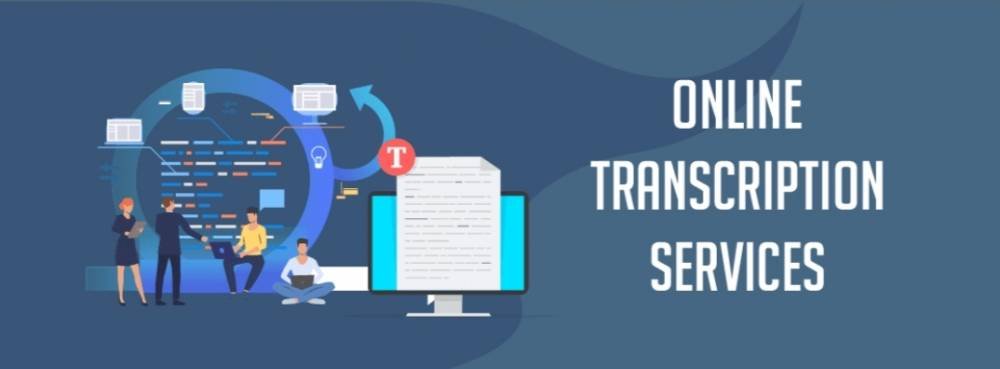
Transcribing spoken content is a routine part of many creative and operational workflows: interviews for articles, lectures for course materials, podcasts for repurposing, customer calls for compliance, and videos for accessibility. But anyone who has spent hours fixing auto-captions, wrestling with downloaded subtitle files, or paying by the minute for manual transcribers knows the pain: transcripts that are messy, incomplete, or unusable without significant cleanup.
This article walks through the real-world tradeoffs you’ll encounter when setting up audio transcription and video transcription workflows, the decision criteria teams should use when evaluating tools, and practical ways to streamline transcription into a repeatable, low-friction process. When relevant, one practical option is referenced to show how Instant Audio Transcription capabilities map to common needs.
Why transcription still feels harder than it should
Most teams encounter transcription problems at predictable moments.
Common frustrations in Instant Audio Transcription workflows
- Downloaded caption files with missing speaker context and inconsistent timestamps
- Long interview transcripts filled with filler words, punctuation errors, and broken line breaks
- Multi-speaker videos where auto-captions fail to separate speakers clearly
- Per-minute billing models, where a single long webinar consumes the budget
- Lack of export-ready formats such as SRT, VTT, clean paragraphs, or summaries
These issues arise because transcription is not just converting audio to text. Instant Audio Transcription must also preserve structure, context, and readability to be truly useful.
Key tradeoffs to understand before choosing a solution
Before selecting a tool, it helps to frame transcription as a series of tradeoffs rather than a single decision.
Accuracy versus cost and speed
- Manual human transcription offers accuracy but is slow and expensive
- Fully automated services are fast and affordable but vary by audio quality
- Hybrid models attempt balance but add process complexity
Instant Audio Transcription decision questions
- How critical is verbatim accuracy?
- Do you need near-instant turnaround?
- What is your acceptable cost per hour of audio?
Context and structure versus raw text output
- Some tools return plain text without speakers or timestamps
- For interviews and meetings, speaker labels and timestamps are essential
Instant Audio Transcription decision questions
- Do statements need attribution?
- Are timestamps required for editing or subtitles?
File handling and compliance versus convenience
- Downloading media creates storage and policy risks
- Link-based or upload-based tools reduce friction
Instant Audio Transcription decision questions
- Are platform terms or internal policies a concern?
- Do you want to avoid managing large media files?
Subtitles and translation versus single-language text
- Global publishing requires subtitle-ready formats
- Translation must preserve timestamps
Instant Audio Transcription decision questions
- Will you publish in multiple languages?
- Do subtitles need to remain aligned?
Scale and limits versus predictable costs
- Per-minute pricing complicates budgeting
- Flat-rate or unlimited plans simplify scaling
Instant Audio Transcription decision questions
- How much content do you process monthly?
- Do you prefer predictable costs?
Common transcription workflows and typical pitfalls
Platform caption downloads
- Workflow: Download captions and manually clean
- Pitfalls: Missing speakers, broken segmentation, policy risks
Upload-based transcription services
- Workflow: Upload files and receive transcripts
- Pitfalls: Per-minute costs and heavy editing
Local recording and manual transcription
- Workflow: Record and transcribe manually
- Pitfalls: Time-intensive and error-prone
AI draft plus manual cleanup
- Workflow: Auto-transcribe then edit
- Pitfalls: Cleanup remains the bottleneck
The more steps involved, the more friction introduced into Instant Audio Transcription workflows.
Decision checklist for Instant Audio Transcription tools
Use this checklist to evaluate any solution.
- Input flexibility: links, uploads, and recordings
- Speaker detection and labeling
- Precise timestamps
- Resegmentation options
- Built-in cleanup tools
- Subtitle-ready exports (SRT/VTT)
- Translation with preserved timestamps
- Fast turnaround times
- Predictable pricing
- Easy integration with publishing tools
- Reduced need for file downloads
A strong Instant Audio Transcription tool reduces manual work instead of shifting it elsewhere.
Practical strategies to reduce transcription overhead
Capture clean audio
- Use quality microphones
- Reduce background noise
- Avoid overlapping speech
Standardize formats
- Consistent file types and naming
- Easier batch processing
Define cleanup rules
- Decide filler handling, casing, punctuation
- Apply consistently
Use resegmentation and one-click cleanup
- Repurpose transcripts without manual edits
- Maintain consistent formatting
Plan subtitles and translation early
- Preserve timestamps
- Avoid rework
Build reusable templates
- Show notes
- Executive summaries
- Social clips
These strategies maximize the value of Instant Audio Transcription.
How Instant Audio Transcription tools fit modern workflows
Tools that focus on links or uploads and clean output reduce common bottlenecks.
Advantages
- No large local storage
- Fewer compliance concerns
- Transcripts ready for reuse
- Faster summaries, subtitles, and translations
Realistic expectations
- No system is flawless in noisy environments
- Human review is still recommended
- Features vary by vendor
Use cases that benefit from Instant Audio Transcription
Journalists and podcasters
- Fast interview turnaround
- Accurate quotes and summaries
Video editors
- Subtitle creation
- Multilingual exports
Learning and development teams
- Large webinar libraries
- Searchable archives
Customer support and compliance
- Speaker-labeled call transcripts
- Quick summaries and reports
Implementation tips for smooth adoption
- Start with a pilot
- Standardize inputs
- Automate common outputs
- Train editors on cleanup rules
- Review pricing models
- Integrate subtitles and translation early
What to watch out for when evaluating vendors
- Feature mismatch
- Hidden costs
- Workflow lock-in
- Overreliance on automation
Always test with your own content.
Final considerations
A strong transcription workflow does more than convert speech to text. It reduces cleanup, preserves context, supports subtitles and translation, and scales predictably.
When Instant Audio Transcription workflows prioritize clean segmentation, speaker labels, timestamps, and flexible exports, teams save hours and reduce friction across publishing, compliance, and repurposing tasks.