How to Design for Thumb Navigation?
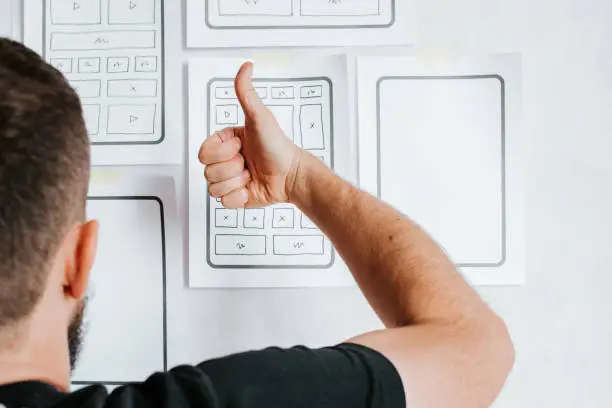
Mobile screens dominate modern life with unstoppable momentum. People scroll while waiting for coffee, browse while commuting on crowded trains, and compare services while relaxing on the couch. As a result, the humble thumb has become the most powerful navigation tool in digital history.
Designing for thumb navigation transforms ordinary websites into frictionless digital journeys. This approach focuses on how users physically hold and operate their phones. Therefore, designers must consider comfort, reach, and natural movement instead of focusing only on aesthetics.
Thumb navigation is not a trend. It is a behavioural reality. So, let’s understand how to embrace it for your responsive web design in Melbourne.
The Science Behind the Thumb Zone
Human hands follow predictable patterns. Most users hold their phones with one hand and rely on a single thumb to navigate. As a result, certain areas of the screen feel comfortable while others feel awkward.
Design researchers describe this phenomenon as the “thumb zone.” The lower centre of the screen feels effortless to reach. The upper corners feel strained and inconvenient. Therefore, placing primary navigation elements at the top of the screen creates unnecessary friction.
For example, imagine a call-to-action button placed in the upper right corner. A user must stretch their thumb. That stretch creates micro discomfort. That discomfort creates hesitation. Hesitation reduces conversions.
On the other hand, when navigation elements sit within the natural thumb zone, users move with confidence. Interaction feels fluid and intuitive. Therefore, engagement increases without the user even noticing the design strategy.
Professionals who specialise in responsive web design in Melbourne understand that ergonomic placement influences real business outcomes.
Why Thumb-Friendly Design Boosts Conversions
Conversion optimization often focuses on persuasive copy and compelling visuals. Those elements matter deeply. However, physical usability influences action more than most people realize.
If a user struggles to tap a booking button, frustration emerges. If a menu feels cramped, irritation grows. As a result, users abandon the experience before completing a desired action.
Thumb-friendly design removes those invisible barriers. Buttons become larger. Spacing becomes generous. Navigation shifts toward the lower half of the screen. Therefore, users interact without strain.
In competitive digital landscapes like Melbourne, seamless usability communicates professionalism. Smooth navigation signals credibility. Credibility fosters trust. Trust drives conversions.
For example, a service-based business that places a “Call Now” button within the thumb zone increases immediate engagement. A restaurant that positions its booking link within comfortable reach improves reservation rates. Therefore, thumb-aware design translates directly into measurable growth.
The Anatomy of a Thumb-Optimized Layout
Designing for thumb navigation requires strategic structure. Designers must consider hierarchy, spacing, and visual flow. Each element should serve clarity and comfort.
Primary navigation should appear near the bottom of the screen. Secondary options can occupy higher regions. Therefore, the most important actions remain easily accessible.
Buttons should feature ample padding. Touch targets should measure at least forty-eight pixels in height. Smaller buttons create tapping errors. Tapping errors create annoyance. Annoyance leads to abandonment.
White space plays a critical role in usability. Crowded layouts overwhelm the eye and the thumb. So designers must embrace breathing room with confidence. Clean spacing enhances elegance and usability simultaneously.
Businesses investing in responsive web design often discover that simplifying layouts improves performance metrics. Reduced clutter increases clarity. Increased clarity strengthens engagement.
Thumb Navigation and Visual Hierarchy
Visual hierarchy guides attention through deliberate emphasis. Thumb navigation reinforces that hierarchy through physical accessibility. Therefore, placement becomes just as important as color or typography.
Important actions should live within effortless reach. Less critical links can remain higher on the page. For example, social media icons do not require prime thumb real estate. Contact buttons and enquiry forms deserve that privilege.
Color contrast amplifies thumb-friendly design. Vibrant call-to-action buttons draw the eye instantly. When those buttons sit within the thumb zone, action becomes instinctive. As a result, interaction feels natural rather than forced.
Experts in responsive web design in Melbourne often combine ergonomic positioning with bold visual cues. This combination creates experiences that feel polished and purposeful.
The Psychology of Effortless Interaction
Humans prefer ease. Humans avoid strain. That preference influences digital behavior in subtle ways.
When navigation feels effortless, users perceive the brand as competent. When navigation feels clumsy, users perceive the brand as careless. Therefore, ergonomic design affects brand reputation.
For example, a law firm website with awkwardly placed menus may appear outdated. A competitor offering smooth thumb navigation appears modern and attentive. On the other hand, both firms may offer similar services. Perception becomes the deciding factor.
Responsive web design in Melbourne that prioritise thumb navigation help clients cultivate stronger first impressions. Those impressions shape long-term relationships.
Common Mistakes in Thumb Navigation Design
Many websites still cling to desktop-first layouts. Designers often shrink desktop interfaces to fit smaller screens. That method ignores ergonomic realities. Therefore, usability suffers.
Hamburger menus placed at the top corner create unnecessary stretching. Tiny text links frustrate users with larger fingers. Sticky pop-ups obstruct natural scrolling patterns.
Another common mistake involves overcrowded footers. Designers sometimes overload bottom sections with excessive links. As a result, essential buttons compete with clutter.
Thumb Navigation and Scrolling Behaviour
Scrolling represents the heartbeat of mobile browsing. Users scroll instinctively. Users scroll continuously. Therefore, designers must respect that rhythm.
Important content should appear within comfortable reach during scrolling. Sticky bottom navigation bars maintain accessibility without obstructing content. Smooth animations enhance flow without distraction.
For example, subtle transitions between sections guide attention gracefully. Abrupt movements disrupt concentration. As a result, thoughtful motion design complements thumb navigation strategies.
Final Thoughts
Designing for thumb navigation demands empathy. Designers must imagine real hands holding real devices in real situations. If you need help in understanding this side of web design in Melbourne, consider seeking professional assistance. Make My Website is one of the finest places to collaborate with for creating responsive websites.
Feel free to contact them if and whenever you require expert support.
Good luck!