Linear Keyboard Switches: Everything You Need to Know About Smooth Typing and Gaming
Introduction
Whether you’re a gamer seeking lightning-fast responsiveness or a professional typist craving smooth keystrokes, choosing the right keyboard switch can make all the difference. Among mechanical switches, linear keyboard switches have gained widespread popularity for their silent, fluid, and consistent performance. This guide will break down what linear switches are, how they differ from other switch types, and how to choose the best one for your setup.
What Are Linear Keyboard Switches?
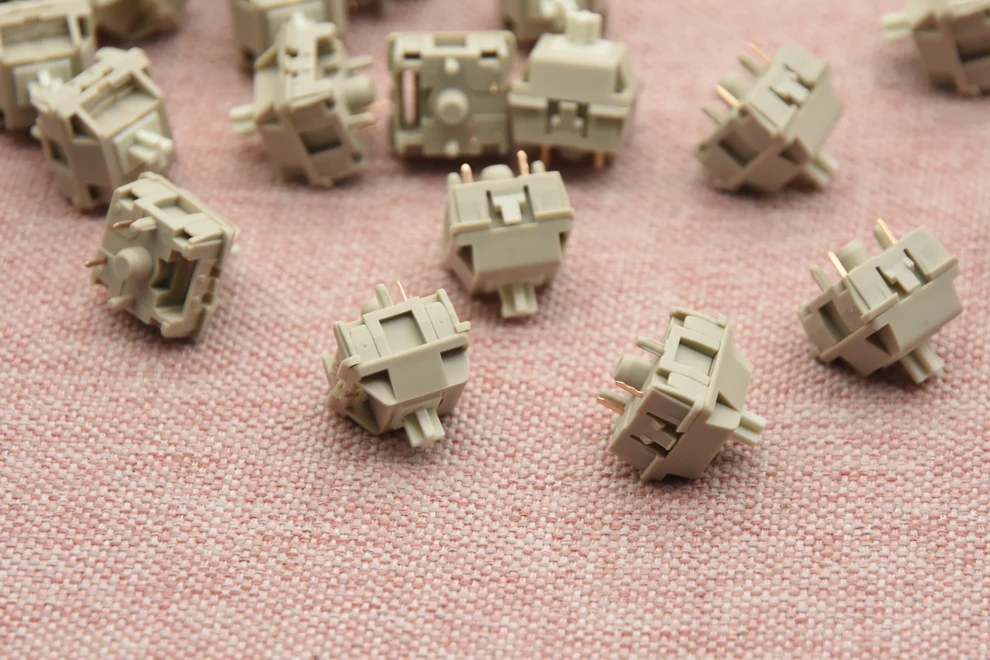
Linear Keyboard Switches are mechanical switches that provide a straight up-and-down keystroke without tactile bumps or audible clicks. Unlike tactile or clicky switches, linear switches offer smooth travel from top to bottom, making them ideal for rapid key presses and precise control. They typically feature a consistent actuation force across the keystroke, allowing users to predictably press keys with minimal resistance. Popular linear switches include Cherry MX Red, Gateron Red, and Kailh Red, each designed for low actuation force and high responsiveness. According to Keychron, linear switches are preferred by many professional gamers because their smooth keystrokes enable faster reaction times during gaming scenarios.
How Do Linear Switches Differ from Other Mechanical Switches?
Mechanical switches generally fall into three categories: linear, tactile, and clicky. The main differences lie in feedback and sound. Tactile switches provide a noticeable bump during keypress, allowing typists to feel the actuation point. Clicky switches include both a tactile bump and an audible click. Linear switches, in contrast, lack both the bump and click, offering smooth keystrokes from top to bottom.
| Feature | Linear Switches | Tactile Switches | Clicky Switches |
| Keystroke Feel | Smooth, consistent | Noticeable bump | Bump + audible click |
| Noise Level | Quiet | Moderate | Loud |
| Typing Speed | High | Moderate | Moderate |
| Gaming Preference | Preferred for fast gameplay | Optional | Less ideal |
This design difference affects typing experience, gaming performance, and noise levels, making linear switches especially suitable for shared spaces or fast-paced competitive environments.
What Are the Advantages of Using Linear Switches?
Linear switches offer several advantages that appeal to both gamers and typists:
· Smooth Keystrokes – The absence of tactile bumps allows for fluid, uninterrupted motion, ideal for gaming or fast typing sequences.
· Consistent Force – Linear switches maintain a uniform actuation force throughout the keypress, reducing finger fatigue over long typing sessions.
· Quiet Operation – Without clicky feedback, linear switches are quieter, making them suitable for shared offices or streaming environments.
· Enhanced Gaming Performance – Smooth keystrokes allow for rapid double-tapping and multiple key presses, giving gamers a competitive edge.
· Customizability – Many linear switches are compatible with hot-swappable keyboards, allowing users to easily replace or upgrade switches to suit personal preferences.
A study by Kinetic Labs shows that users who switch from tactile to linear switches often report a 15-20% increase in typing speed in practice tests, highlighting their efficiency for continuous typing tasks. In real-world scenarios, gamers frequently pair linear switches with high polling-rate keyboards to optimize reaction times. The combination of low actuation force, smooth travel, and quiet operation makes linear switches a versatile choice across professional and recreational setups.
Which Linear Switches Are Best for Typing vs Gaming?
While all linear switches share similar characteristics, certain models are better suited for specific tasks:
| Usage Scenario | Recommended Linear Switch | Key Features |
| Gaming | Cherry MX Red, Gateron Red | Light actuation, fast response |
| Typing | Cherry MX Black, Kailh Box Red | Medium actuation, precise typing |
| Mixed Use | NovelKeys Cream | Smooth and reliable across tasks |
Practical user reviews suggest that linear switches excel in multi-key scenarios, such as gaming macros, coding, or professional data entry. Gamers and typists alike appreciate the predictable feel, which enhances overall efficiency and comfort during prolonged sessions.
How to Choose the Right Linear Switch for Your Keyboard?
Choosing the right linear switch depends on personal preference, usage, and keyboard compatibility:
1. Actuation Force – Lighter switches reduce finger fatigue but may cause accidental presses; heavier switches offer more control.
2. Keyboard Compatibility – Ensure your keyboard supports the switch type, especially if using hot-swappable models.
3. Typing vs Gaming Needs – Decide whether you prioritize fast response or precise typing feedback.
4. Noise Level Consideration – Linear switches are quieter but adding o-rings can further reduce noise.
Conclusion
Linear keyboard switches are an excellent choice for anyone seeking smooth, quiet, and consistent keystrokes. They cater to gamers, typists, and professionals alike, offering a blend of speed, precision, and comfort. By understanding the differences between linear, tactile, and clicky switches, and considering factors like actuation force and keyboard compatibility, you can select the perfect switch to elevate your typing and gaming experience.
FAQs
Are linear switches better for gaming than tactile or clicky switches?
Linear switches are generally preferred for fast-paced gaming due to smooth keystrokes and quick actuation, but tactile or clicky switches may still suit those who value typing feedback.
How long do linear keyboard switches typically last?
Most mechanical linear switches, such as Cherry MX and Gateron, are rated for 50 million keystrokes, offering several years of reliable performance.
Can linear switches be used for both work and gaming effectively?
Yes, linear switches provide smooth and consistent keystrokes that perform well for typing, coding, and gaming, especially when paired with a compatible keyboard.