From Blank Timeline to Finished Soundtrack: How an AI Music Generator Fits Into Your Creative Routine
The moment you realize silence is costing you
You open your edit, you’ve got the pacing right, and the story finally lands—then you hit the same wall: music. Not because you don’t know what you want, but because finding it is slow, repetitive, and oddly draining. Stock tracks rarely match the emotional curve you built. Licensing terms feel like fine print roulette. And composing from scratch is a luxury most weekly creators don’t have.
That’s the gap I was trying to close when I started testing an AI Music Generator as part of my workflow. I wasn’t looking for “magic.” I wanted something more practical: a fast way to generate usable music that feels tailored to the scene, with enough control that I’m not gambling every time I click “generate.”
What changed when I stopped “searching” and started “directing”
Before, my process looked like this:
- Spend 30–60 minutes browsing libraries
- Download five candidates
- Try them under the edit
- Realize none of them track the emotional arc
- Either settle or repeat
After adding an Text to Song AIto my routine, the rhythm changed. Instead of searching a catalog, I’m directing a performance:
- I describe the story beat (mood, tempo, instrumentation)
- I iterate 2–4 times
- I keep the version that locks onto the pacing
It’s not that every output is perfect. It’s that the feedback loop is short enough to explore without losing momentum.
How it works in real terms (no mystery, just inputs and iteration)
At its core, this kind of tool is a prompt-to-audio pipeline. You give it guidance, it returns a track. The practical levers that matter most are:
1. Mode choice: quick sketch vs controlled build
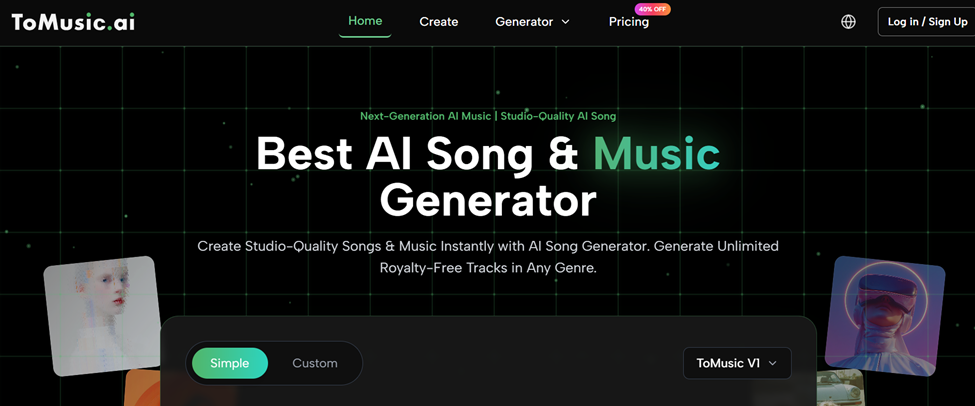
- Simple mode is for fast, “good enough” drafts: mood + vibe + basic style.
- Custom mode is where you actually direct: clearer genre framing, optional lyrics, and tighter constraints.
In my tests, I treat Simple like thumbnailing and Custom like the real render.
2. Prompting: fewer adjectives, more decisions
When people get weak results, it’s often because the prompt is decorative. What worked for me was making the prompt sound like a music brief:
- Genre + era: “modern synthwave with 80s influence”
- Tempo: “120 bpm, steady driving groove”
- Instrumentation: “warm bass, bright arps, gated drums”
- Emotional intent: “confident, forward motion, no melancholy”
- Structure: “intro 8 bars, lift at 0:25, resolve by 1:10”
That kind of prompt creates boundaries. Boundaries create consistency.
3. Library behavior: your outputs don’t vanish
One feature that quietly matters is the music library concept: generated tracks are saved with their metadata. In practice, that turns experimentation into an asset bank. When I’m in a rush, I’m not generating from zero—I’m adapting something I already like.
A concrete before/after: the “one-scene problem”
Here’s the scenario I kept running into: a 45-second scene that needs to build tension without becoming dramatic. Stock music loves dramatic.
Before:
I’d pick something “cinematic” and it would overplay the moment, making the edit feel self-important.
After:
With an AI Music Generator, I can ask for “minimal pulse, restrained harmony, subtle rise, no big drums,” and the output tends to stay in the lane I’m asking for. It feels more like a score cue and less like a trailer.
That “right-sized music” is where the tool started paying for itself.
Where it tends to outperform common alternatives
Below is a high-level comparison based on typical creator constraints: speed, control, licensing simplicity, and reuse.
| Comparison Item | AI Music Generator (prompt-based) | Typical Stock Music Library | Hiring Custom Composition |
| Time to first usable track | Minutes | 30–60+ minutes searching | Days to weeks |
| Fit to your exact scene | Medium–High (iterative) | Low–Medium (you adapt edit to track) | High |
| Control over instrumentation/mood | High (if you prompt well) | Low (limited to what exists) | High |
| Iteration cost | Low (generate variations) | Medium (search fatigue) | High (feedback cycles) |
| Licensing friction | Usually simpler (check plan terms) | Often complex tiers | Contract-based |
| Consistency across a series | High (reusable prompt patterns) | Medium (hard to match across tracks) | High |
| Skill needed | Prompting + taste | Tag searching + taste | Direction + budget |
This table isn’t saying one route is “best.” It’s saying the AI option changes the economics of iteration.
What surprised me most: prompt templates become your “sound identity”
Once I found 3–4 prompt patterns that consistently worked, I stopped thinking of the tool as “random generation.” It became closer to a style engine:
- One template for upbeat explainers
- One for moody product demos
- One for short cinematic transitions
- One for clean lo-fi background
Over time, those templates created a recognizable tone across my content, without me manually composing every cue.
Limitations that are real (and actually useful to acknowledge)
To keep expectations honest, here are the constraints I ran into:
1. Not every generation is usable
Sometimes the melody is strong but the mix feels cluttered. Sometimes the groove is right but the ending doesn’t resolve. I usually expect to generate multiple variations.
2. Prompts don’t replace taste
If you can’t describe what you want, the tool won’t magically guess it. The best results came when I was decisive about tempo, instruments, and emotional direction.
3. Edge genres can be inconsistent
Mainstream lanes (pop, lo-fi, electronic, cinematic, hip-hop-adjacent) tend to be more reliable. Very niche subgenres may need more iteration or more careful constraints.
4. “Human voice realism” varies
If you’re generating vocals, quality can fluctuate between takes. In my testing, it looks more stable when the lyrics are structured clearly and the prompt specifies voice character in simple terms.
A neutral perspective if you want context beyond one tool
If you’re curious about the bigger picture, look for recent survey-style papers and articles on AI music generation (transformer-based and diffusion-style approaches are often discussed). Reading one neutral overview helped me set the right mental model: these systems are powerful at pattern synthesis, but you still steer the outcome through constraints and iteration.
A practical starting workflow you can copy
If you want a reliable first run, try this:
- Write one sentence describing the scene goal (emotion + pacing).
- Add three constraints: tempo, instruments, and what to avoid.
- Generate 3 variations.
- Keep the best one, then regenerate with one targeted adjustment.
Example prompt format:
- “Upbeat modern pop, 115 bpm, bright synths + clean drums, confident mood, light chord movement, avoid dramatic cinematic hits, intro 4 bars then quick lift.”
If your problem is “I need music that matches what I’m making, fast, without turning licensing into a project,” an AI Music Generator is a credible piece of the solution—especially when you treat it as a directed iteration engine, not a slot machine.