Transform Static Photos into Dynamic Videos: A Beginner’s Guide to Image to Video AI
Creating engaging video content used to require expensive equipment, professional editing software, and months of learning curves. Today, image to video AI tools have democratized video creation, letting anyone turn a simple photo into a polished video in minutes. If you’re a content creator, small business owner, or freelancer tired of juggling multiple tools, this guide will show you how to get started with minimal friction and avoid the mistakes that derail most beginners.
Why Beginners Struggle with AI Tools (And How to Avoid It)
The promise of AI-powered content creation is seductive. The reality? Many people download a tool, feel overwhelmed by options, create something mediocre, and abandon it within days.
I’ve watched this pattern repeat across dozens of creators I’ve worked with. The problem isn’t the tools—it’s the gap between expectation and execution. Most beginners expect magic but don’t understand what they’re actually asking the AI to do. They upload a blurry photo, write a vague prompt, and wonder why the output looks generic.
Image to video AI tools aren’t mind readers. They work best when you give them clear direction. The second mistake? Treating these tools as replacements for creativity rather than accelerators of it. The best results come when you combine intentional input with the tool’s automation capabilities.
The third pitfall is underestimating the learning curve. Not because the interface is complex—most modern tools are intuitive—but because understanding what to ask for takes practice. You need to develop a mental model of how the AI interprets your instructions.
The Four-Step Workflow: Getting Started Today
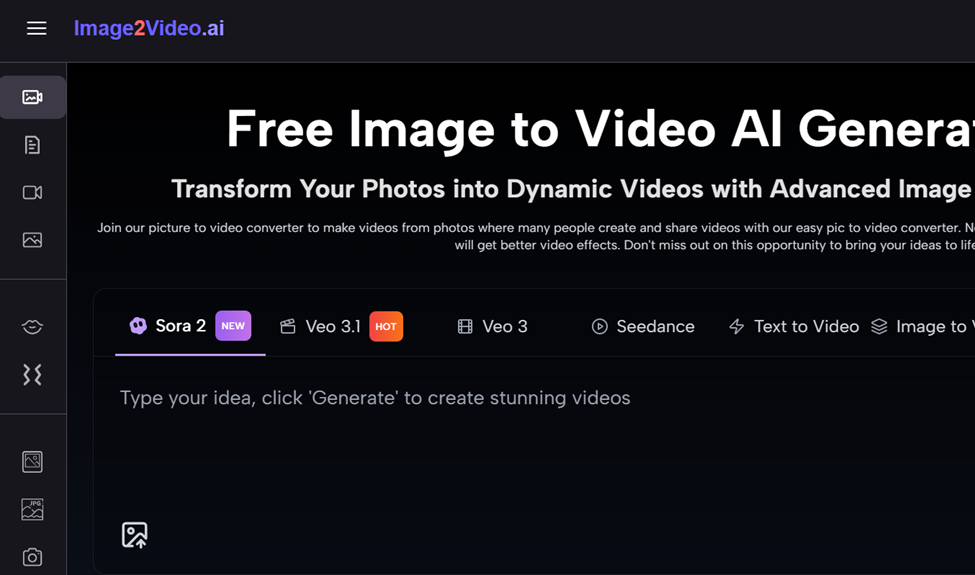
Here’s the straightforward process for converting photos to videos using an image to video converter:
Step 1: Choose and Upload Your Photo
Start with a clear, well-composed image. The platform accepts JPEG and PNG formats, so most photos from your phone or camera will work without conversion.
Quality matters here. A sharp, well-lit photo with clear subject matter will produce better results than a dark or blurry image. You don’t need professional photography—just something with decent contrast and focus. If you’re working with product photos for e-commerce, make sure the product is the clear focal point. For travel content, choose images with interesting composition or depth.
Upload your image to the image to video AI platform. The process is straightforward: select your file and wait for confirmation that it’s been received.
Step 2: Write a Clear Prompt Description
This is where most beginners falter. Your text description is the instruction manual for the AI. Vague prompts produce vague results.
Instead of “make it move,” try “slowly zoom in on the product while gentle light reflects off the surface.” Instead of “make it interesting,” specify “pan from left to right across the landscape with a subtle fade effect.”
The image to video AI technology understands natural language, so write like you’re describing the video to a friend. Include details about:
- Camera movement (zoom, pan, rotate)
- Pacing (slow, moderate, dynamic)
- Mood or tone (energetic, peaceful, professional)
- Focus points (what should the viewer’s eye follow?)
Specificity beats creativity here. The AI works with what you give it.
Step 3: Wait for Processing
Once you submit your prompt, the image to video AI converter gets to work. Processing typically takes around five minutes. You’ll see a “processing” status displayed on your screen.
This is a good time to step away. Grab coffee, check email, or prep your next image. The AI is handling the heavy lifting—intelligent animations, transitions, and effects are being generated based on your input and the image content.
Step 4: Download and Share
When the status shows “Completed,” your video is ready. The output is in MP4 format, which plays on virtually every device and platform.
Download your photo to video creation and review it. Does it match your vision? If not, you can upload the same image again with a different prompt and try another approach. This iterative process is normal and actually valuable—it teaches you what works.
Once you’re satisfied, share directly to social media or save it for later use. The platform supports direct sharing to popular platforms, or you can download and upload manually.
Common Mistakes and How to Fix Them
Mistake 1: Uploading Low-Quality Source Images
Many beginners assume the AI will “fix” a mediocre photo. It won’t. Image to video tools amplify what’s already there. A blurry photo becomes a blurry video with movement. Start with the best image you have.
Mistake 2: Writing Overly Complex Prompts
“Create a cinematic experience with parallax scrolling, dynamic color grading, and orchestral music swelling in the background” sounds impressive but gives the AI conflicting instructions. Keep prompts focused and specific but simple.
Mistake 3: Expecting Unlimited Video Length
Current image to video AI technology generates five-second videos. That’s actually perfect for social media, product demos, and story content. Don’t fight the limitation—work within it. Five seconds of polished content beats 30 seconds of filler.
Mistake 4: Ignoring Platform Optimization
A video optimized for Instagram Reels differs from one for LinkedIn or YouTube. Consider aspect ratio, pacing, and style before creating. A fast-paced zoom works great for TikTok; a slow pan suits professional content.
Mistake 5: Not Iterating
Your first attempt won’t always be perfect. The beauty of image to video converters is speed. Try multiple prompts on the same image. You’ll quickly develop intuition for what works.
Why This Matters: The Cost and Time Advantage
Traditional video creation requires equipment, software subscriptions, and skills that take months to develop. A professional videographer costs hundreds or thousands per project.
Image to video AI eliminates these barriers. You’re trading upfront investment for accessibility. A tool that converts photos to videos costs a fraction of traditional alternatives and requires no technical expertise beyond writing a clear description.
The time savings are equally significant. What once took hours of filming and editing now takes minutes. For creators operating on tight schedules or budgets, this shift is transformative.
Getting the Most from Your Image to Video Tool
Start small. Pick one use case—maybe social media content or product marketing—and create five videos. You’ll learn faster through repetition than through reading guides.
Pay attention to what works. Which prompts produce the best results? Which images translate well to video? Build your own mental database of best practices.
Combine image to video output with other tools. Add music in a simple audio editor. Layer text overlays using basic design software. The AI handles animation; you handle the finishing touches.
Remember that this tool is an accelerator, not a replacement for creativity. The best results come from creators who understand their audience, craft intentional prompts, and treat the output as a starting point rather than a final product.
The Bottom Line
Image to video technology removes the technical barrier to video creation. You don’t need expensive equipment, professional skills, or months of learning time. What you need is clarity about what you want to create and willingness to iterate.
Start with a clear photo, write a specific prompt, and see what happens. The first video might not be perfect—that’s expected. The second will be better. By your fifth creation, you’ll have developed intuition that makes the process feel natural.
For content creators, small business owners, and freelancers, picture to video conversion isn’t just a convenience—it’s a competitive advantage. Your competitors are still shooting and editing. You’re creating polished content in minutes. That efficiency compounds over time, freeing you to focus on strategy, storytelling, and growth rather than technical execution.